
Self-hosted memoryfor AI agents
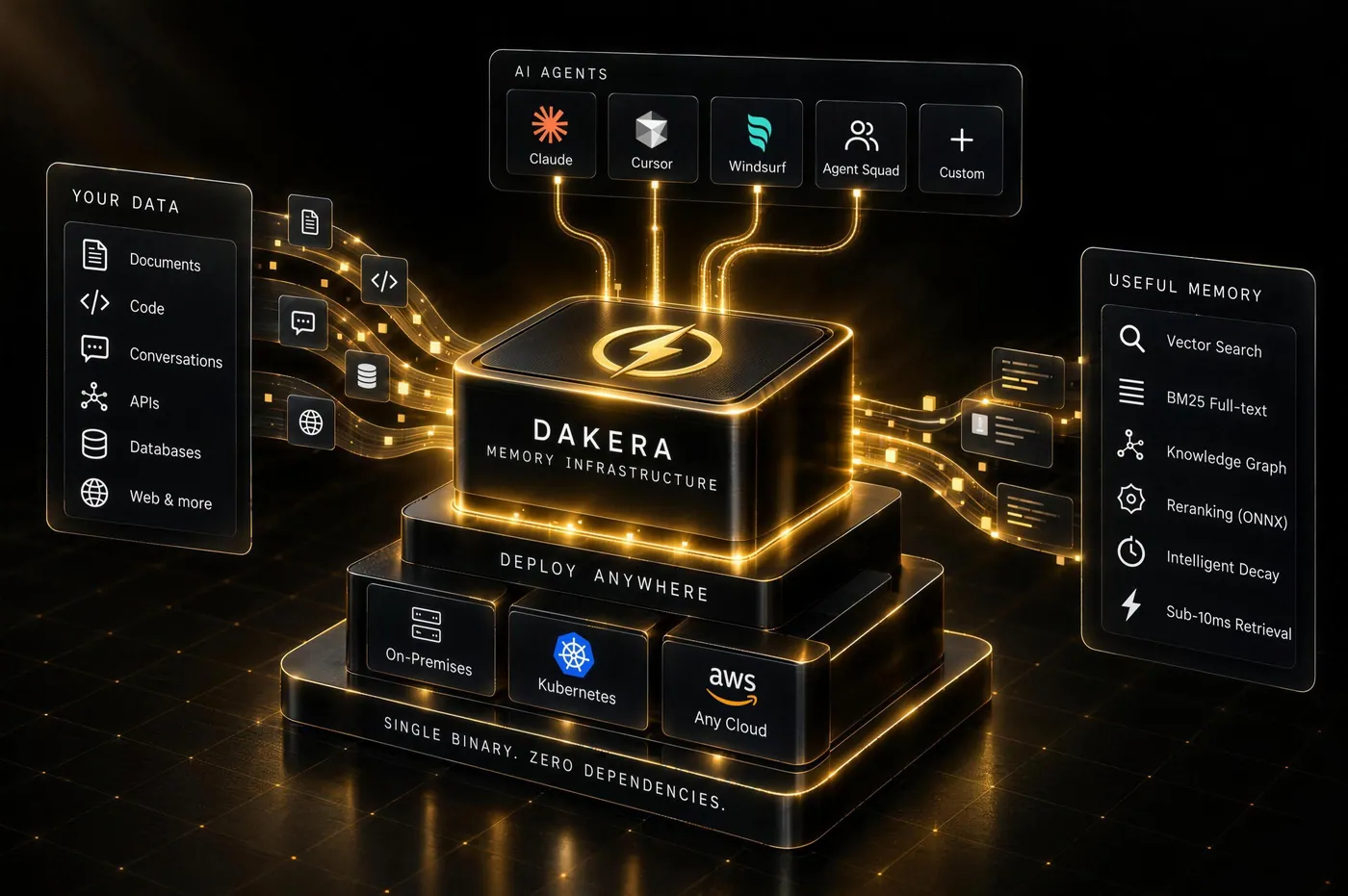
Dakera stores what your agents learn and recalls it by meaning, keyword or relationship. One Rust binary on your own servers, with no external APIs.
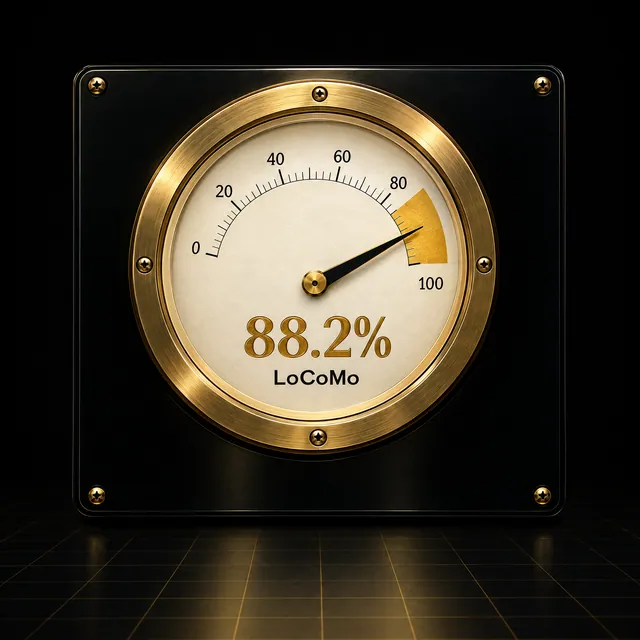
- 88.2%Recall@20 on LoCoMo
- 1.17 msp95 vector search
- 1 binaryno external services

Ask what your agent remembers
Real responses from Dakera 0.12.2, recorded on 15 sample support memories. Pick a question, or watch it run.
- Recorded, not mocked. Scores, routing and timings are what the server returned.
- Routed per question. A ticket number goes straight to keyword search; a question in plain words fuses vector and keyword scores, then a cross-encoder reranks.
support-bot15 memoriesAcme Logistics hit an SSO login loop after rotating their Okta signing certificate; re-uploading the IdP metadata fixed it.
episodicimportance 0.70 · vector 1.000 · text 0.000
smart score0.554For a chargeback never refund directly: open a dispute case and tag finance-ops.
proceduralimportance 0.95 · vector 0.314 · text 0.000
smart score0.463Acme Logistics renews in March and asked for a quote on 40 more seats.
episodicimportance 0.58 · vector 0.348 · text 0.299
smart score0.433
Recorded from Dakera 0.12.2 on 15 sample memoriesAsk your own in the Playground




Illustration
Without memory
Every session starts from zero. The agent learns the same context again, and you pay for it every time.
With Dakera
Every session builds on the last, and what one agent learns, the others can recall.
Everything recall needs, in one process
Retrieval, memory types, decay and storage live in one engine, so a recall needs no other service to answer.

Meaning, keywords and relationships
Vector, BM25 and knowledge-graph signals are fused into one score, and a cross-encoder reranks when it is confident.

Four kinds of memory
Episodic, semantic, procedural and working memory, stored and recalled the way agents use them.

Importance that decays
Memories an agent stops using fade. The ones it keeps coming back to stay on top.

One binary instead of four services
Vector store, embedding service, graph database and session store, in one Rust process. Embeddings run on your machine with ONNX.
Three calls to a memory
Python, TypeScript, Go and Rust SDKs, a REST API for everything else, and an MCP server for Claude, Cursor and Windsurf.
First, store what the agent learns.
One POST per fact. The server embeds it with bge-large on your own machine; nothing is sent anywhere else.
Then recall it by what it means.
Vector and keyword scores are fused and weighted by importance, and a cross-encoder reranks when it is confident.
Next session, it wakes up knowing.
The wake-up call returns the agent's most important and most used memories, ready for its system prompt.
POST /v1/memory/store
{
  "agent_id": "support-bot",
  "content": "Hooli moved their weekly summary to Mondays starting next month.",
  "importance": 0.6,
  "memory_type": "episodic"
}
200 embedded on this server in 145 ms
id mem_18df0788b5ad877e · tags hooli, preferences
POST /v1/memory/recall
{ "agent_id": "support-bot", "top_k": 3,
  "query": "When should we send Hooli's summary?" }
200 3 results · cross-encoder rerank · search 2 ms
- 0.867Hooli moved their weekly summary to Mondays starting next month.
- 0.701Priya at Hooli prefers email over calls and wants weekly summaries on Fridays.
- 0.470Hooli hit 429s during their Black Friday import; their rate limit was raised to 600 requests per minute for the week.
GET /v1/agents/support-bot/wake-up
200 15 memories, most important and most used first
- 0.95proceduralFor a chargeback never refund directly: open a dispute case and tag finance-ops.
- 0.80proceduralWhen a customer reports missing data, check the audit log for a bulk delete before escalating.
- 0.74proceduralRefunds over $500 need approval from a team lead in the billing channel.
- 0.72episodicEscalated SUP-4907 to engineering: CSV exports over 50,000 rows time out after 30 seconds.
88.2%Recall@20 on LoCoMo
1,536 questions over 10 long conversations, scored by evidence match. No LLM in the retrieval path and no LLM judge.
Recall measured with Dakera v0.11.107 in September 2026; latency on BEIR Quora with 50,000 vectors. Temporal questions are the weakest category. Methodology

See what your agents remember
The Dakera Dashboard shows the health of your memory layer, lets you browse and recall memories, and maps what your agents know.
Explore the Dashboard


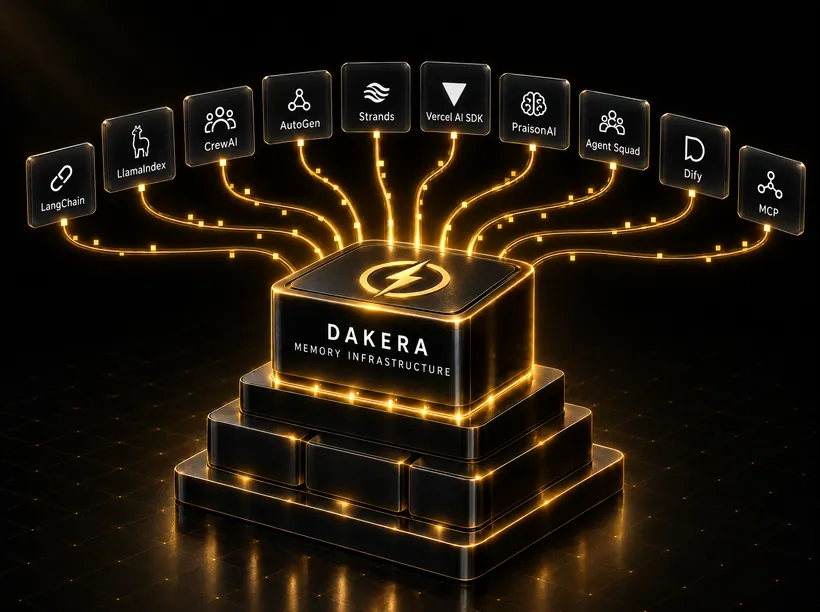
Plugs into the agent you already have
Framework integrations, and an MCP server with 14 core tools that Claude, Cursor and Windsurf load from one config block.

The last three releases
Every component ships together, and every release documents its upgrade and rollback path.
0.12.3, Oct 22: Documents become memory; recall you can sort on
- Retrieval
Document import: PDF, DOCX, HTML, Markdown and plain text become searchable, citable memory chunks with heading breadcrumbs and page ranges.
- Sessions
Recall results carry
rank_score, which follows their order; asking for more results never reorders the first ten;neighborhood_modeputs session context inline, in its own list or nowhere. - Engine
event_timeon stores: imported and replayed histories reason about time from their own dates. - Retrieval
Faster ingest and reranked recall with lower peak memory: one model worker per physical core, an exact rerank score cache and a fair rerank queue.
- Engine
A busy server answers
429withRetry-Afterinstead of503, and the REST port reports progress during crash recovery. - Engine
Signed images with SBOM and provenance, a smaller CPU image without
curl(newdakera healthcheck) and a non-root GPU image on CUDA 13.
0.12.2, Oct 8: Scoped keys, server-side agents and sessions that close themselves
- Engine
Updates no longer fail with
503"changed during each of 5 attempts": every JSON store returns records bit-for-bit as written. - Security
Key grants take prefix patterns (
team-*), keys are edited in place (PATCH), rotation has a grace period, andGET /v1/auth/whoamishows what a key can reach. - Agents
POST /v1/agentscreates an agent before its first memory. - Sessions
Idle sessions end after 4 h by default;
POST /v1/sessions/{id}/touchkeeps a quiet one open. - Engine
Graph View and memory lists serve an opt-in content preview (
content_preview_chars).
0.12.1, Oct 5: Upgrades need fewer steps; the Dashboard signs operators in
- Security
Full-text indexes built by v0.11 answer keyword queries again, re-analysed in the background.
- Retrieval
Changing
DAKERA_MODELre-embeds the store by itself while recall stays correct. - Sessions
Memory, session and agent counts agree across endpoints and no longer read every record.
- Dashboard
Dashboard 0.5.0: six-area navigation, an Operations hub, analytics and metrics; the Helm chart now deploys it with sign-in instead of handing it the root key.
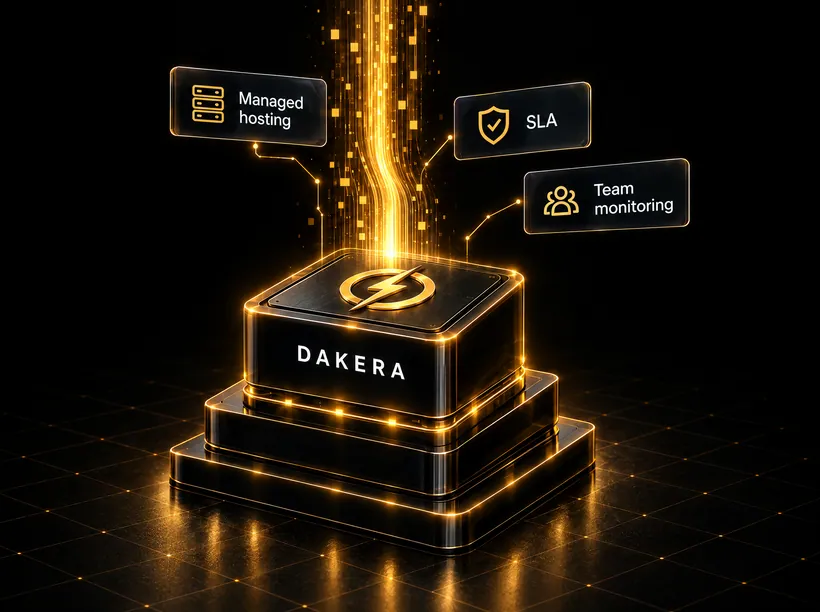
Dakera Cloud is next
Self-hosting is free and stays free. Cloud adds managed hosting, an SLA and team monitoring. Join the waitlist for founder pricing.
No spam. We write once, before launch.
You're on the list. We'll write before launch.
- The SDKs, CLI and MCP server are MIT-licensed.
- Self-hosted deployments have no usage fees, commercial use included.

Common questions
- No. Dakera is a memory engine for AI agents. It gives your agents persistent, session-aware, cross-agent memory with importance decay. The retrieval engine underneath (HNSW, BM25 and hybrid search) is how memories are recalled; the product is agents that remember, not a database you query.
- No. Text is embedded on the server at store and query time with ONNX Runtime. The default model, bge-large, ships in the Docker image; bge-m3 (multilingual), MiniLM, E5 and other models can be selected with
DAKERA_MODEL. No external API calls and no per-call cost. - The engine includes write-ahead-log durability, snapshots and backups, AES-256-GCM encryption at rest, scoped API keys, rate limiting, Prometheus metrics and OpenTelemetry tracing. The product is in public alpha on the 0.12 release line, so APIs can still change between releases; each release documents its upgrade and rollback path.
- Yes. The Dakera MCP server (
dakera-mcp) exposes 14 core tools (100+ available via profiles). Add it to the Claude Desktop, Cursor or Windsurf configuration and your assistant keeps its memory across sessions. No code changes are required. - Dakera replaces the memory layer of a typical stack: vector store, embedding service, knowledge graph and session store, in one binary. There are no external API keys and no separate services to operate.
- A single node is the simplest deployment. For high availability, Dakera runs as a multi-node cluster: nodes discover each other over gossip, elect a leader, and replicate every write with versioned merges, so each node holds a full copy of the data. See high availability.
- Native SDKs for Python, TypeScript, Go and Rust, and a REST API (JSON) for any other language. A gRPC service (Protobuf) covers vector operations, and the MCP server connects AI tools.
- Open core, not fully open source. The integration layer (SDKs for Python, TypeScript, Go and Rust, the CLI and the MCP server) is MIT-licensed and on GitHub. The memory engine is proprietary: you self-host the binary on your own infrastructure and own your data, but the engine source is not public. Self-hosted deployments have no usage fees, including commercial use. Full breakdown.
- Yes. Dakera ships as a single binary or Docker image and needs no external services. Your data stays on your infrastructure. Pull the image, set
DAKERA_ROOT_API_KEYand start it on any Linux server or Kubernetes cluster; the image includes its default models, so it is ready in seconds without network access. - Dakera is available now as a public alpha. You can deploy the self-hosted binary today: pull the Docker image, set an API key and start it. Dakera Cloud (managed hosting, SLA, team monitoring) is next; join the waitlist on this page to lock in founder pricing.
- The self-hosted binary is free to run on your own infrastructure, with no usage fees. Memory contents never leave your infrastructure. By default the engine sends product telemetry: lifecycle events and a 6-hourly heartbeat with version, platform, configuration and rounded usage counts, never memory content, ids, names, secrets or paths. Telemetry includes the machine's hostname, and the analytics provider records the connecting IP address for a coarse location. Turn it off with
DAKERA_TELEMETRY=0orDO_NOT_TRACK=1; see the telemetry page. Dakera Cloud (managed hosting, SLA, team monitoring) will be priced separately; join the waitlist to lock in founder pricing before launch. - Yes. The Dakera MCP server loads 14 core tools by default: store, recall, semantic, hybrid and full-text search, sessions, knowledge graph, entity extraction and forget, plus two tools that discover and load the rest on demand. Set
DAKERA_MCP_PROFILE=powerorallto expose more of the 100+ tools. Connect it to Claude Desktop, Cursor or Windsurf with one config block. All memory stays on your infrastructure.